
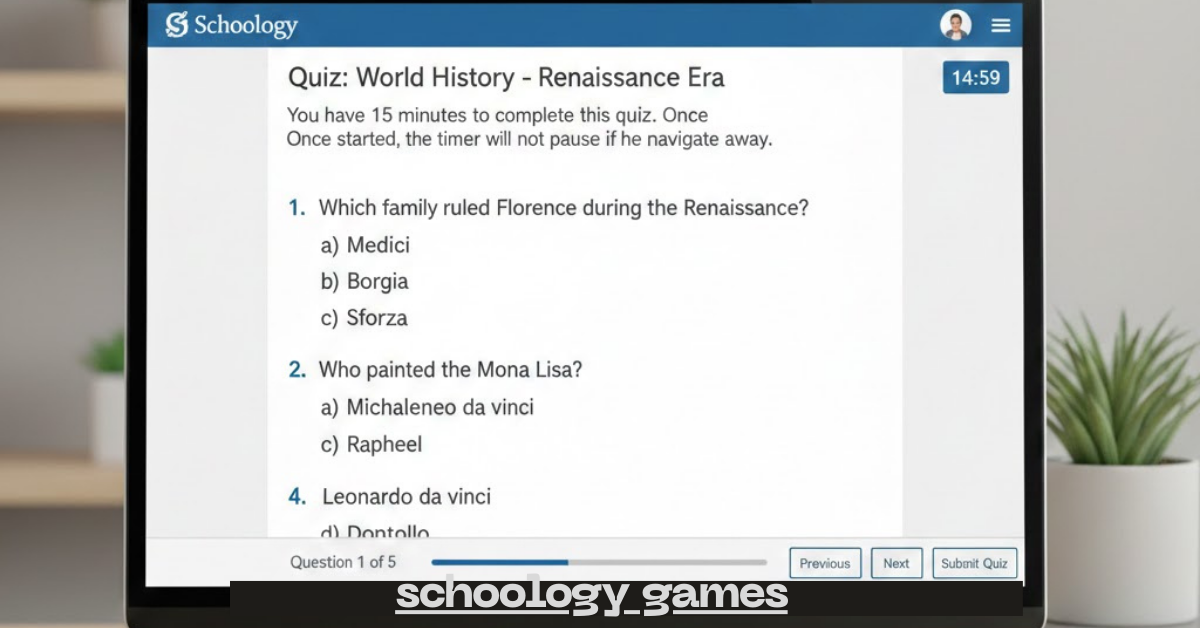
I still remember the first time I tried using schoology games in my class. It was a Wednesday afternoon. You know the kind — low energy, half the class staring at the clock, the other half pretending to take notes.
I had just finished explaining a tricky concept, and I could feel that it wasn’t landing.
So instead of moving on, I pulled up a simple quiz game inside Schoology. Nothing fancy. Just a quick review activity with points and a timer.
Within minutes, the energy shifted.
Students were leaning forward. Whispering answers. Laughing. Competing. And most importantly — thinking.
That was the moment I realized something powerful: learning doesn’t have to feel like a chore. With the right tools, it can feel like play.
If you’ve been curious about using games in Schoology but aren’t sure where to start, let me walk you through what I’ve learned.
What Are Schoology Games, Really?
When people hear “schoology games,” they sometimes imagine built-in video games. That’s not exactly it.
Schoology itself is a learning management system (LMS), but it allows you to:
-
Create quiz-based games
-
Embed educational games
-
Integrate third-party tools
-
Turn assignments into interactive challenges
In simple terms, it’s about using gamification inside your digital classroom.
And trust me — gamification changes everything.
Why I Started Using Games in Schoology
At first, I was skeptical. I worried it would feel distracting. Or worse — chaotic.
But here’s what I noticed after using Schoology classroom games consistently:
1. Engagement skyrocketed
Students who rarely participated suddenly cared about answering correctly. Even my quietest learners started joining in.
2. Instant feedback made a difference
Using quizzes as games meant students saw right away if they understood the material. That immediate response helped them adjust quickly.
3. It reduced test anxiety
When review sessions feel like a game instead of a formal exam, students relax. And relaxed students perform better.
My Favorite Ways to Use Schoology Games
Let me share the specific methods that worked best for me.
1. Turn Quizzes Into Timed Challenges
This was my easiest starting point.
I created short quizzes in Schoology and:
-
Enabled time limits
-
Randomized questions
-
Showed correct answers after submission
Suddenly, it wasn’t just a quiz — it felt like a challenge.
Personal Tip #1:
Keep the questions short and clear. The goal is engagement, not confusion. I once overloaded a game with long paragraph-based questions, and it killed the momentum.
2. Integrate Kahoot or Quizizz Through Schoology
While Schoology is powerful, pairing it with tools like Kahoot or Quizizz takes things up a notch.
I’d post the game link directly in Schoology so everything stayed organized in one place.
Students loved:
-
Leaderboards
-
Sound effects
-
Fast-paced rounds
It made online learning feel alive.
3. Use Breakout-Style Activities
This one became a class favorite.
I created digital “escape room” style challenges inside Schoology using:
-
Folders
-
Locked content
-
Sequential progress rules
Students had to answer questions correctly to unlock the next step.
It required planning, yes. But the payoff? Huge.
They were solving problems, collaborating, and actually excited about review day.
How Schoology Games Improve Online Learning
When remote learning became common, I realized something important.
Without interaction, screens get boring fast.
Here’s how games helped:
-
Boosted student participation
-
Improved retention of material
-
Encouraged teamwork
-
Created healthy competition
Gamified learning taps into something natural. We like goals. We like points. We like winning.
And when you combine that with academics? Magic.
5 Steps to Create Simple Schoology Games
If you’re new to this, don’t overcomplicate it. Here’s the exact process I recommend:
-
Choose one lesson you want to review.
-
Create a short 5–10 question quiz.
-
Add a timer.
-
Turn on immediate feedback.
-
Announce it as a “challenge” instead of a test.
Language matters more than you think.
When I stopped saying “quiz” and started saying “challenge round,” attitudes shifted instantly.
Common Mistakes I Made (So You Don’t Have To)
Let me save you some trial and error.
Making it too competitive
Competition is fun — until it discourages struggling students.
I now rotate between:
-
Team-based games
-
Individual challenges
-
Participation-based scoring
Overusing games
This one surprised me.
If every lesson is a game, the novelty fades.
I now use Schoology interactive activities strategically:
-
For review
-
Before exams
-
To introduce new units
Balance keeps it exciting.
How Students Responded (And What Shocked Me)
The biggest surprise?
My high-performing students weren’t the only ones thriving.
Some of my average or quieter students improved the most.
Why?
Because schoology games give:
-
Low-pressure practice
-
Instant correction
-
Repeated exposure to concepts
It’s learning disguised as fun.
And sometimes that’s exactly what students need.
Related Tools That Pair Well With Schoology
If you’re building a gamified classroom, here are a few tools I’ve personally found helpful:
-
Quizizz
-
Kahoot
-
Blooket
-
Gimkit
They all integrate easily, and each has a slightly different vibe.
If you’re focusing on educational games for students, mixing platforms keeps things fresh.
Personal Tip #2: Keep It Simple the First Time
When I first experimented with digital classroom games, I tried to create something elaborate.
Color-coded levels. Complex rules. Bonus rounds.
It flopped.
Now I follow one rule:
Simple beats flashy.
If students understand the rules in under 30 seconds, you’re doing it right.
Do Schoology Games Work for All Subjects?
Short answer? Yes.
I’ve seen them used in:
-
Math review sessions
-
Vocabulary building
-
Science concept checks
-
History fact challenges
-
Language learning drills
The format changes, but the impact stays strong.
Gamification isn’t about turning everything into a video game. It’s about adding motivation.
Final Thoughts on Schoology Games
If you had told me a few years ago that adding games would transform my classroom, I probably would’ve laughed.
Schoology games didn’t just increase participation. They changed the atmosphere. Review days became interactive. Students asked for rematches. Even grading felt less stressful because I could see understanding in real time.